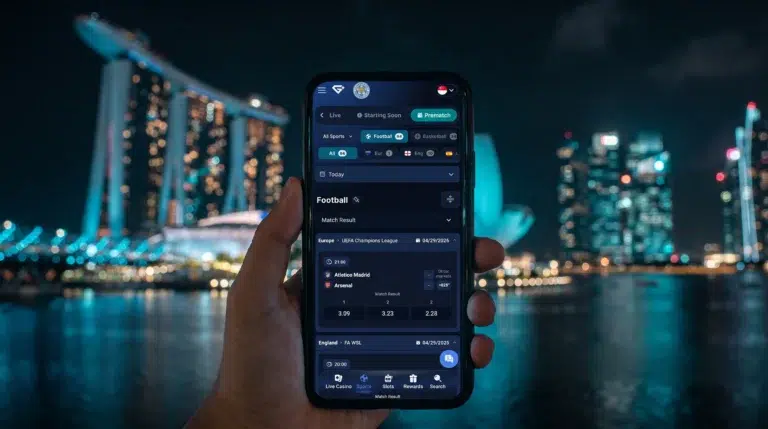
 Our GemBet app is designed to ensure you can bet on the go. Built with Malaysian bettors and casino players in mind, you can access our sportsbook, slots, live casino games, payments, account settings, and even promotions from a single app.
Our app is available in Android and iOS versions, plus a mobile-optimized browser version you can install if you feel like it.
You can use your existing GemBet account on our mobile apps, as they work properly, without the need to create a new account.
Before initiating a GemBet download, ensure your device meets the basic requirements.
The GemBet Android app is extremely lightweight and can be installed on many Android phones. Here are its specifications:
Newer versions of Android phones with 4G, 5G, or Wi-Fi connections are expected to be better for casino gameplay, live casino streaming, and sports betting because of faster processing power and stronger internet connection capabilities.
Just like our Android app, the iOS app is also lightweight, and below are its specifications for compatible iOS devices:
You need a stable internet connection if you are using our app for live casino games or placing in-play sports bets, as these features rely on continuous data and video streaming.
For a safe Gembet download, You have to use our official website or official download link to download our mobile apps safely. While iOS users can use the official App Store to download and install our app, Android users can download the APK file directly from our official link.
As a plus, you can choose to install our mobile browser-optimized app on your home screen using one-tap access.
Just like downloading our apps, the installation is straightforward and follows the same process as every other mobile app you’ve downloaded.
Follow these steps to install the GemBet APK app on your Android smartphone:
Alternatively, you can create a shortcut without installing the APK. To do so, open GemBet in Chrome or any browser you use, tap the browser menu, and then select Add to Home Screen or Install App, depending on your browser or device.
Installing the GemBet iOS app is straightforward. Follow these easy steps to install it on your iPhone or iPad:
Furthermore, just like on Android, you can create a shortcut without installing the APK. To do so, open GemBet in Chrome or any browser you prefer, tap the browser menu, then select Add to Home Screen or Install App, depending on your browser or device.
Accessing your GemBet account on mobile is easy. If you've registered already, you can use the same account details to log in.
To do so, open the login page and enter your registered username or email address and password.
If you used Google login during signup, you can also click on it and follow the prompts to log in to your GemBet account.
Some users activate two-factor authentication on their account, and if you're among these individuals, you'll need to provide the verification code generated by your authenticator app before you log in.
However, if you've forgotten your password, you can get back into your account by clicking on the ‘Forgot Password’ option on the login page. You'll be required to enter your registered email address, and password reset instructions will be sent to your email.
Once logged in, you can use the GemBet mobile platform to:
There are other things you can do on our mobile platforms, and all features available on the desktop platform are available on the mobile platforms, such as slots, Crash games and Mahjong games.
Here are the most common mobile problems that can be resolved with a few basic checks.
If you're faced with your GemBet app not opening, close the app or browser completely and reopen it. If the concern persists, restart your mobile device.
The culprit is mostly a slow or unstable internet connection. To fix it, check your internet connection. Next, try switching between Wi-Fi and mobile data to see if the issue is related to your network.
The best way to fix this is to close other apps running in the background and then restart your phone.
For Android users, you can also try clearing the app cache. Furthermore, ensure that your device has enough free storage. Finally, check if you're using a supported version of Android.
If you did a safe Gembet download and our app installation is failing, check that:
If the downloaded file appears to be corrupted or incomplete, delete it and perform a fresh Gembet download from our page.
If you're having issues with the mobile website, please clear your browser cache and reload the page.
You can also update your Chrome browser or any other browser you're using to the latest version or try another supported browser.
If the problem continues after these steps, contact our customer support team through Live Chat or email and provide your device model, operating system, and a description of the issue.
Yes, the GemBet mobile app is safe to use as long as you downloaded it from our official page.
Visit the official GemBet app download page on your mobile device and click on whether you want to download the APK file or the iOS app. You can also use GemBet directly from your mobile browser without downloading an app.
Yes. Android users can install the official GemBet APK after downloading it from our official page.
Yes. You can access GemBet through Safari on an iPhone or iPad and add the website to your home screen for faster access.
Download the GemBet APK exclusively from the official GemBet website or an official download link provided by GemBet. Do not use third-party APK repositories.
Certainly. You can use our mobile browser-optimized app to access all features of the platform without the need to install our app.
Yes. You can deposit and withdraw from your GemBet app. You only need to log in and visit your account area to either deposit or withdraw.
